
1. Imveliso iphelileview
This manual provides detailed instructions for the installation, operation, and maintenance of your podofo 9-inch Android 13 Car Stereo. This unit is designed to enhance your driving experience with advanced features such as wireless CarPlay, Android Auto, GPS navigation, Wi-Fi connectivity, Bluetooth, and an HD backup camera.
Ukuhambelana
This car head unit is compatible with the following Mercedes Benz models:
- Mercedes Benz E Class W211 (2002-2009)
- Mercedes Benz CLS W219 (2002-2009)
2. Ukuseta kunye noFakelo
Careful installation is crucial for optimal performance. It is recommended that installation be performed by a qualified professional.
Imixholo yePakeji
Qinisekisa ukuba onke amalungu akhona kwiphakheji yakho:
- Android Car Stereo Unit
- I-antenna yeGPS
- Imakrofoni yangaphandle
- HD Backup Camera
- Intambo yamandla
- RCA Intambo
- Intambo ye-USB
- Radio Antenna & Canbus
- Isixhobo sokuFakela
- Incwadi yokusebenzisa

Image: Dimensions of the 9-inch car stereo and a visual representation of all included accessories.
Ukuhlohla kwangaphambili
Before proceeding with installation, carefully check your vehicle's existing radio line interface. If your vehicle's radio line interface matches the one shown in the 'Before Installation' diagram below, a separate car optical fiber box will be required for proper functionality. This box is not included and must be purchased separately.
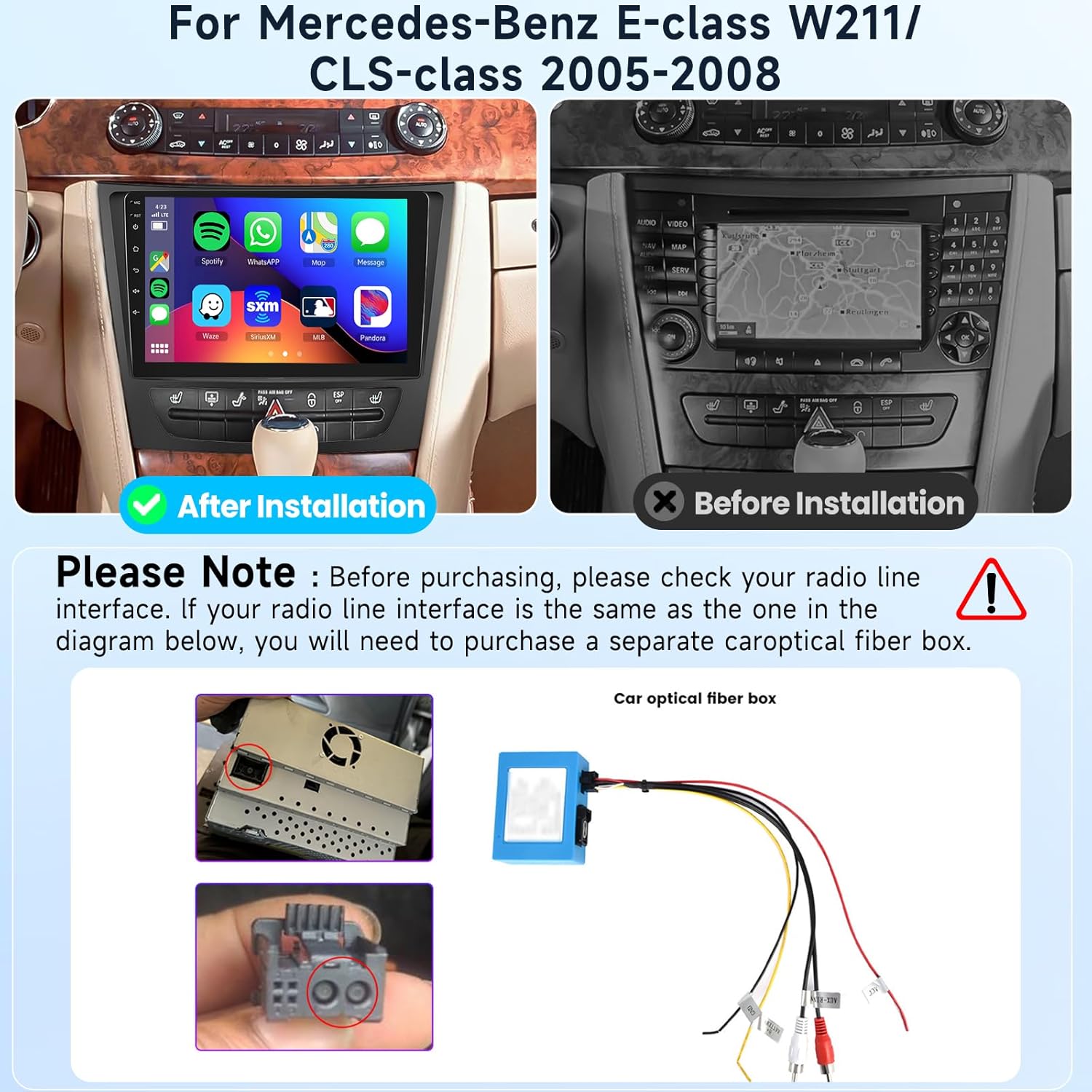
Image: Visual guide for checking the radio line interface and the appearance of the stereo before and after installation.
Backup Camera Wiring
Follow these steps for connecting the HD backup camera:
- Connect the red wire (labeled +12V) to the car's reversing light positive terminal.
- Connect the black wire (labeled GND) to the car's reversing light negative terminal.
- No additional connections are needed for the video signal cable.
- The reverse trigger wire (labeled "Reverse/back") connects to the vehicle's reverse light positive. If your vehicle does not have this wire, no connection is needed.

Image: Detailed wiring diagram for the HD backup camera.
3. Imiyalelo yokusebenza
Your podofo car stereo runs on the Android 13 operating system, offering a wide range of functionalities.
IiNkcazo zeNkqubo
- Inkqubo yokwenza: Android 13.0
- Iprosesa: Quad-core CPU
- I-RAM: 2GB
- UGcino lwangaphakathi: 64GB

Umfanekiso: Ngaphezuluview of the smart Android system features.
Iimpawu zokubonisa
- Ubungakanani beSkrini: 9 intshi
- Isigqibo: 1080P
- Uhlobo lokubonisa: IPS
- Isimbo seSkrini sokuNxiba: Capacitive 2.5D Glass
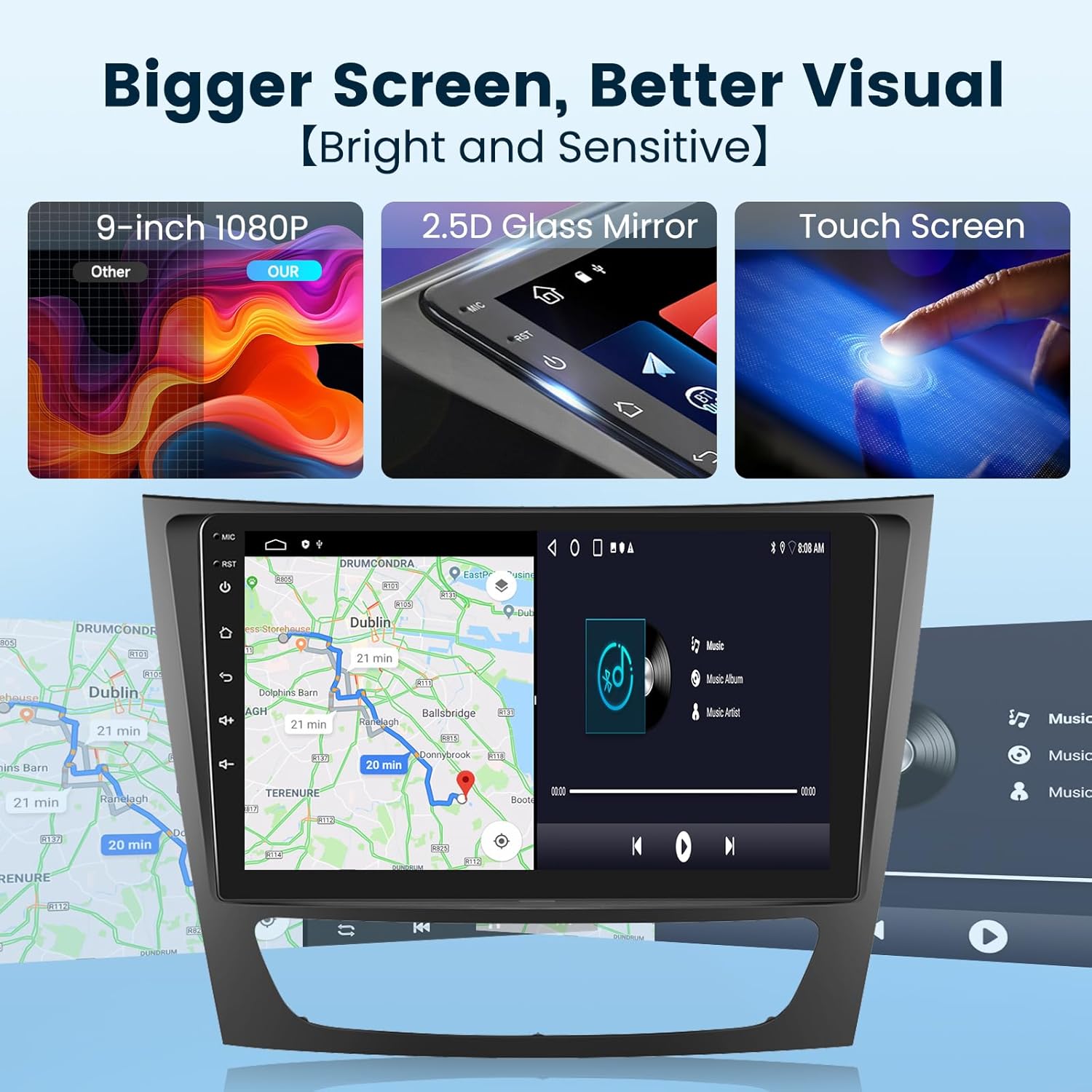
Image: Visual details of the car stereo's display.
Wireless CarPlay / Android Auto
Connect your smartphone wirelessly or via USB to access apps like navigation, music, and calls directly on the stereo screen. Supports voice control for enhanced driving safety.

Image: Wireless CarPlay and Android Auto interface.
GPS Navigation & Wi-Fi
The unit includes a built-in offline map application, allowing you to download worldwide map data. Connect to Wi-Fi or a mobile hotspot for online navigation and to install or manage Android applications from the Application Store.

Image: Online and offline GPS navigation features.

Image: Built-in Wi-Fi connectivity for app downloads and online services.
Ukusebenza kweBluetooth
Equipped with a built-in noise-canceling microphone and an external microphone jack, the stereo ensures clear hands-free calls. Bluetooth wireless audio streaming allows for a superior music listening experience.

Image: Bluetooth call and music streaming features.
Ulawulo lwevili lokuqhuba
Utilize your vehicle's existing steering wheel buttons to control the car audio system, providing convenient and safer operation while driving.

Image: Steering wheel control integration.
Mirror Link (Screen Casting)
Connect your smartphone to the car stereo via USB or Bluetooth to mirror its screen, allowing you to enjoy videos and other content on the larger display.
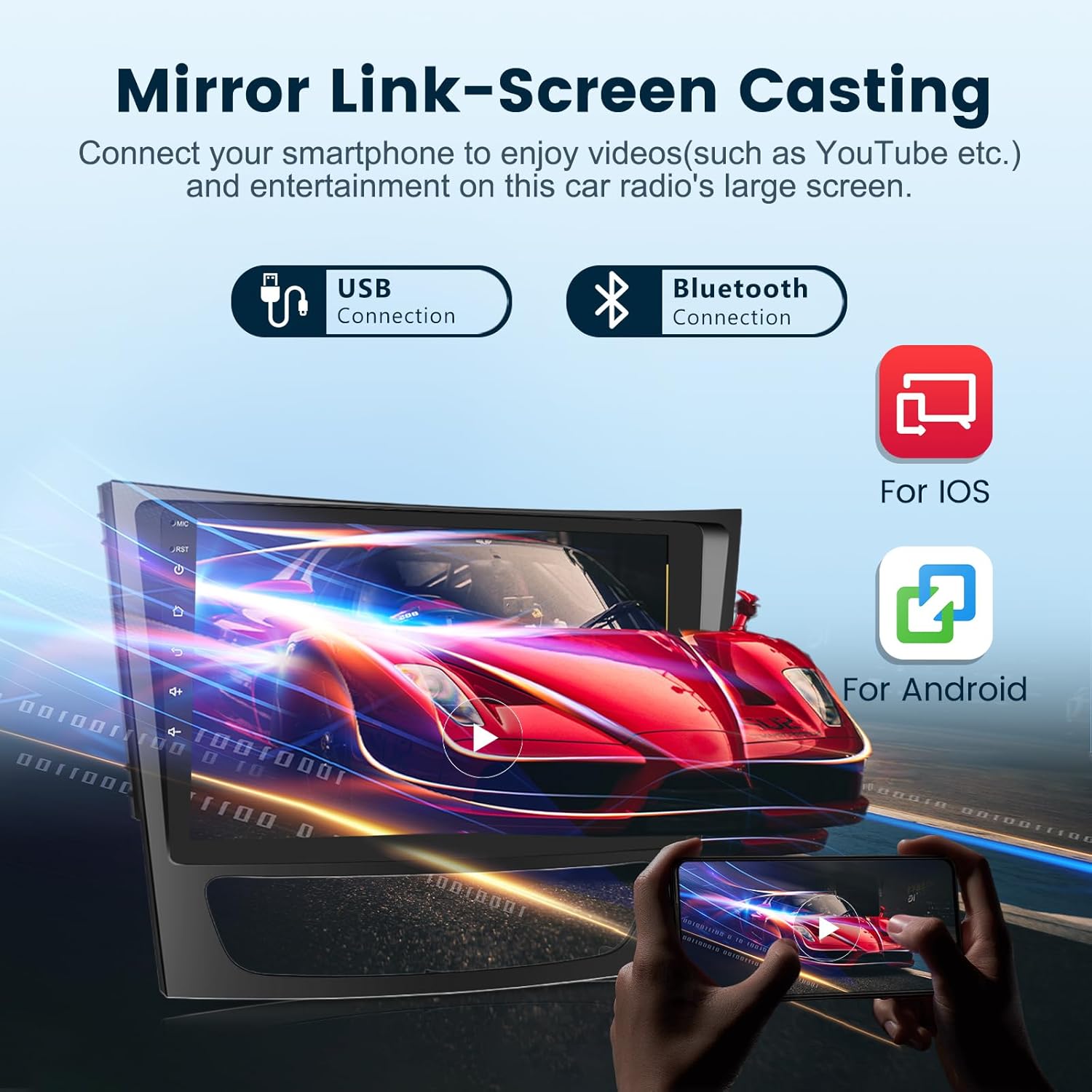
Image: Mirror Link functionality for screen casting.
FM/RDS Radio
Access FM radio stations with RDS (Radio Data System) support, providing information such as station name and song titles where available.

Image: FM/RDS Radio interface.
HiFi Audio & EQ Settings
Experience advanced HiFi high-fidelity audio technology. Customize your sound experience with built-in EQ settings, allowing adjustments for various music genres and personal preferences.

Image: HiFi Audio and Equalizer settings.
HD Backup Camera
The included HD backup camera provides a clear, wide-angle view (170°) with night vision capabilities, assisting with safe parking and reversing. The camera is IP69 waterproof.

Image: HD Backup Camera view kunye neempawu.
4. Isondlo
To ensure the longevity and optimal performance of your car stereo, follow these general maintenance guidelines:
- Coca isikrini rhoqo ngelaphu elithambileyo nelingenazinti. Ziphephe izinto zokucoca ezirhabaxa.
- Gcina le yunithi ingenaluthuli kunye nenkunkuma.
- Qinisekisa ukungena komoya okufanelekileyo kwiyunithi ukunqanda ukufudumeza.
- Kuphephe ukubeka iyunithi kwindawo eshushu kakhulu okanye elangeni ngokuthe ngqo ixesha elide.
5. Ukuxazulula ingxaki
If you encounter any issues with your car stereo, please refer to the following basic troubleshooting steps. For more complex problems, contact customer support.
Imiba eqhelekileyo kunye nezisombululo:
- Akukho Mandla: Check all power connections and fuses. Ensure the car's ignition is on.
- Akukho sandi: Verify speaker connections. Check volume levels and mute settings. Ensure the correct audio source is selected.
- I-GPS ayisebenzi: Qinisekisa ukuba i-eriyali ye-GPS iqhagamshelwe ngokufanelekileyo kwaye ine-cable view yesibhakabhaka. Jonga useto lweGPS kwisistim.
- Imiba yoQhagamshelwano lweBluetooth: Qinisekisa ukuba iBluetooth ivuliwe kwistereo nakwisixhobo sakho. Zama ukususa ukubhangqa nokuphinda ubhangqa izixhobo.
- I-CarPlay/i-Android Auto ayiqhagamshelani: Check USB cable connection (if wired). Ensure Wi-Fi and Bluetooth are enabled for wireless connection. Update phone and stereo software if necessary.
6. Iinkcukacha
| Uphawu | Inkcazo |
|---|---|
| Uphawu | podofo |
| Ubungakanani beSkrini | 9 intshi |
| Inkqubo yokwenza | Android 13 |
| Isakhono sokuGcina iMemori | 64 GB |
| Itekhnoloji yoQhagamshelwano | Bluetooth, USB, Wi-Fi |
| Imiboniso eyodwa | Navigation, Wired/Wireless CarPlay, Wired/Wireless Android Auto |
| Uhlobo lweMaphu | Worldwide (Offline/Online) |
| Amacandelo aqukiweyo | Android Car Stereo, External Microphone, GPS Antenna, HD Backup Camera |
| Ubunzima bento | 1 Kilogram |
| Uhlobo lweSkrini sokuNcinta | Unamandla |
| Uhlobo lokubonisa | IPS |
| Izixhobo ezihambelanayo | I-smartphone |
| Indlela yokulawula | Chukumisa |
| Inkqubo yokuNavigation yeSatellite exhaswayo | IGPS |
7. Ulwazi lweWaranti
This podofo car stereo comes with a Iwaranti yeminyaka emi-2 ukususela kumhla wokuthenga. Esi siqinisekiso sibandakanya iziphene zokuvelisa kunye nokungasebenzi kakuhle phantsi kosetyenziso oluqhelekileyo. Nceda ugcine ubungqina bakho bokuthenga amabango ewaranti.
8. Inkxaso yabaThengi
podofo is committed to providing professional technical support. For any concerns regarding installation, operation, or troubleshooting, please contact us directly via Amazon. Our team is available to assist you.
Uqhagamshelana njani neNkxaso:
You can reach our support team through the Amazon platform:
- Navigate to the product page on Amazon.
- Find the 'Sold by Podofo US' section.
- Click on 'Ask a question' to send a message to our support team.


Images: Steps to contact podofo customer support via Amazon.